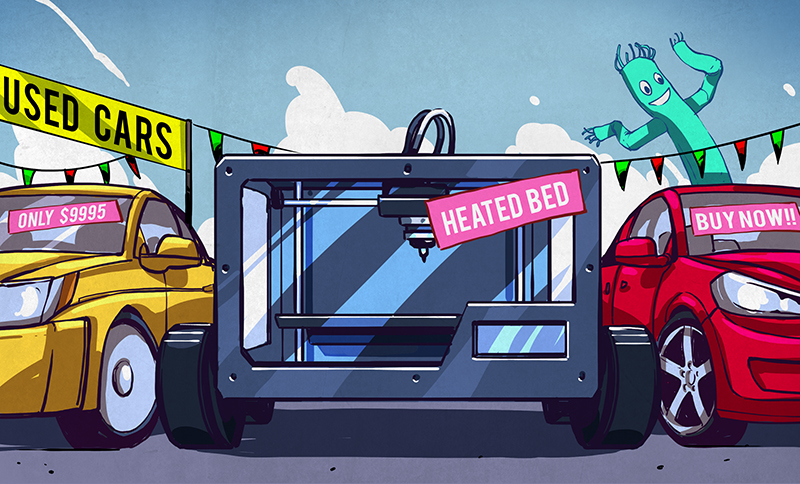

Buying a 3D printer is a little like buying a car, except the “test drive” involves melted plastic, slicing software, tiny calibration squares, and the occasional spaghetti monster made of PLA. The good news? Desktop 3D printers are better, faster, and easier to use than ever. The bad news? The market is packed with shiny machines promising “pro-level results” while quietly hoping you never ask what replacement nozzles cost.
Before you click “Add to Cart,” it pays to kick the tires. A 3D printer is not just a gadget; it is a small manufacturing system. You are buying hardware, software, materials, maintenance routines, safety considerations, and a relationship with a machine that will either become your favorite workshop assistant or your loudest paperweight.
This guide breaks down what to check before buying a 3D printer, from printer types and build volume to materials, safety, hidden costs, and real-world usability. Whether you want to print cosplay props, tabletop miniatures, replacement knobs, prototypes, school projects, or one very unnecessary but emotionally important dragon, here is how to shop wisely.
Start With the Real Question: What Do You Want to Print?
The best 3D printer is not the most expensive one. It is the one that fits your projects, workspace, patience level, and budget. A printer designed for tiny resin miniatures is not ideal for a bike-light bracket. A large-format FDM printer may be perfect for cosplay armor but hilariously overqualified for printing chess pawns.
Choose FDM for Practical, Everyday Printing
FDM, also called FFF, is the most common consumer 3D printing technology. It pushes plastic filament through a heated nozzle and builds objects layer by layer. FDM printers are popular because they are affordable, relatively easy to learn, and compatible with common materials like PLA, PETG, TPU, ABS, ASA, and nylon.
FDM is usually the right choice for functional parts, brackets, organizers, toys, cosplay pieces, tool holders, home repairs, and general maker projects. Layer lines are visible, but modern printers can produce surprisingly clean results when tuned properly. For most first-time buyers, an FDM printer is the practical starting point.
Choose Resin for Fine Detail
Resin printers use light to cure liquid resin into solid objects. They are excellent for miniatures, jewelry models, dental-style detail, figurines, and tiny objects with crisp textures. If you want armor plates on a 28mm fantasy knight to look sharper than your kitchen knives, resin is the champion.
However, resin printing is messier. You must handle uncured resin carefully, wear gloves, wash prints, cure them under UV light, and manage fumes and waste responsibly. Resin can deliver gorgeous results, but it is not the “easy button.” It is more like a chemistry lab with a gift shop.
Key 3D Printer Features to Check Before Buying
A spec sheet can look impressive while hiding important compromises. Do not judge a 3D printer only by speed numbers, promotional photos, or a dramatic product video featuring a vase printed at warp speed. Look for features that make printing reliable day after day.
1. Build Volume
Build volume tells you the maximum size of an object the printer can produce in one piece. Many desktop FDM printers fall around the 180mm to 300mm range on each axis. A compact printer is fine for desk toys, small tools, mini planters, and household clips. Larger projects, such as helmets, props, lamp shades, and storage bins, may require a bigger printer or cutting models into sections.
Do not automatically buy the largest machine you can afford. Bigger printers take more space, need more stable frames, and may require more tuning. If you mostly print small parts, a compact, reliable printer can beat a giant wobbly beast every time.
2. Auto Bed Leveling and First-Layer Help
The first layer is where many 3D prints are born or publicly humiliated. If the nozzle is too high, filament does not stick. If it is too low, the nozzle may scrape the bed like it is signing an autograph with a nail.
Modern printers often include automatic bed leveling, pressure advance, vibration compensation, and guided calibration. These features do not eliminate learning, but they dramatically reduce beginner frustration. For a first printer, strong first-layer automation is worth paying for.
3. Enclosure
An enclosure keeps the printer’s internal temperature more stable and helps reduce drafts. This matters for materials like ABS, ASA, PC, and nylon, which can warp when cooling unevenly. An enclosed printer is also helpful in classrooms, offices, and homes where curious pets believe every moving toolhead is a personal challenge.
Open-frame printers are fine for PLA and PETG. If you plan to print engineering materials, carbon-fiber-filled filament, or temperature-sensitive parts, consider an enclosed CoreXY or enclosed Cartesian machine with good filtration and temperature control.
4. Direct Drive vs. Bowden Extruder
A direct-drive extruder places the filament drive close to the hotend. This setup is usually better for flexible filaments like TPU and gives precise control over extrusion. Bowden systems can be lighter and fast, but they may be trickier with flexible materials. Most modern beginner-friendly machines now favor direct drive, which is a good thing unless your hobby is arguing with stringy TPU at midnight.
5. Hotend Temperature and Nozzle Type
PLA and PETG do not need extreme hotend temperatures, but tougher materials often do. A printer that reaches around 300°C can handle a wider range of filaments. If you want to print abrasive materials such as carbon-fiber-filled nylon or glow-in-the-dark filament, check whether the printer includes a hardened steel nozzle or supports one. Brass nozzles are common and inexpensive, but abrasive filament will chew through them like popcorn.
Materials Matter More Than Marketing
Filament choice affects strength, flexibility, heat resistance, print difficulty, odor, and appearance. A great printer using the wrong material can still produce a disappointing part. Think of filament like ingredients: you can own a fancy oven, but if you bake a wedding cake with soup, questions will be asked.
PLA: The Friendly Starter Material
PLA is affordable, easy to print, low-warp, and widely available in many colors. It is ideal for decorative objects, models, organizers, and beginner projects. Its weakness is heat resistance. Do not use standard PLA for parts left in a hot car unless you enjoy modern sculpture.
PETG: The Practical Middle Ground
PETG offers better toughness and temperature resistance than PLA while remaining manageable for many desktop printers. It is a good choice for functional household parts, brackets, containers, and outdoor-ish items. It can be stringy, but with tuned settings and dry filament, it behaves nicely.
ABS and ASA: Stronger, But Need Control
ABS and ASA are tougher and more heat-resistant than PLA. ASA is especially valued for outdoor use because of its UV resistance. These materials usually need an enclosure and good ventilation. Without temperature control, they can warp, crack, or detach from the build plate with the dramatic timing of a soap opera exit.
TPU: Flexible and Fun
TPU is flexible and rubbery, great for phone cases, seals, feet, bumpers, and wearable parts. It prints best on a direct-drive machine and often needs slower speeds. TPU is not difficult once you learn it, but it refuses to be rushed, which frankly is a healthy boundary.
Nylon and Composites: Advanced Territory
Nylon, polycarbonate, and carbon-fiber-filled filaments can make strong engineering parts, but they require higher temperatures, dry storage, hardened nozzles, and often an enclosure. These materials are not ideal for day-one beginners, but they are worth considering if you are buying a printer for prototyping, robotics, jigs, fixtures, or small-business production.
Speed Is Nice; Reliability Is Better
Modern 3D printers are much faster than older hobby machines. CoreXY designs, input shaping, high-flow hotends, and Klipper-style firmware have made high-speed printing common. But speed claims can be misleading. A printer may advertise 500mm/s, while your best-looking prints happen much slower depending on the material, nozzle, layer height, and model geometry.
When comparing printers, look for real-world print quality, first-layer consistency, slicer profiles, and long-print reliability. A fast printer that fails 25% of the time is not fast; it is a plastic-confetti machine with Wi-Fi.
Software and Ecosystem: The Part People Forget
A 3D printer is only as pleasant as its software workflow. Most users prepare models in a slicer, which converts a 3D model into machine instructions. Good slicer profiles save time and reduce failed prints. Strong ecosystems also include firmware updates, spare parts, community profiles, cloud printing options, offline printing support, and helpful documentation.
Some brands focus on polished plug-and-play experiences, while others leave more room for tinkering and modification. Neither approach is automatically better. Beginners may prefer a guided ecosystem with automatic calibration and ready-made profiles. Advanced users may prefer open firmware, accessible parts, and freedom to modify.
Hidden Costs: The Printer Is Only the Cover Charge
The price tag on the machine is not the full cost of 3D printing. Budget for filament or resin, replacement nozzles, build plates, glue or bed adhesive, isopropyl alcohol for resin cleanup, gloves, filters, storage containers, spare parts, tools, and electricity. If you buy a resin printer, add a wash-and-cure station to the shopping list unless you enjoy post-processing with the grace of a raccoon washing grapes.
For FDM printing, a few rolls of quality filament can change your early experience. Cheap mystery filament may work, but inconsistent diameter, moisture, or poor winding can cause jams and rough surfaces. For resin printing, remember that resin expires, spills are unpleasant, and disposal must be handled responsibly.
Safety: Not Scary, Just Serious
3D printers are desktop manufacturing tools, not toys with extra steps. FDM printing can release ultrafine particles and VOCs, especially at higher temperatures and with certain materials. Resin printing involves uncured chemicals that should not touch skin and should not be poured down drains.
Use printers in a well-ventilated area. For schools, offices, makerspaces, and heavy users, enclosed printers with filtration or local exhaust ventilation are smart choices. Keep printers away from bedrooms and food-prep areas. Wear nitrile gloves when handling resin. Store materials safely. Do not leave printers unattended for long periods until you trust your setup, and make sure thermal runaway protection is enabled.
Safety does not mean panic. It means treating the machine with the same respect you would give a soldering iron, power tool, or oven. The printer may be cute, but the hotend is still hot enough to ruin your afternoon.
Beginner-Friendly Buying Recommendations by Use Case
Best for First-Time Hobbyists
Look for an FDM printer with auto calibration, direct drive, reliable slicer profiles, a strong community, and easy replacement parts. A compact printer is enough if you want to learn without turning your desk into a factory floor.
Best for Families and Classrooms
Choose an enclosed printer with simple controls, filtration, quiet operation, and safety features. Avoid resin unless there is adult supervision, proper PPE, and a dedicated workspace.
Best for Miniatures
Choose a resin printer if detail is the top priority. Budget for gloves, ventilation, resin, wash-and-cure equipment, and cleanup supplies. If you want terrain, buildings, and larger tabletop scenery, FDM may be more economical.
Best for Functional Parts
Choose an enclosed FDM printer with a hotend capable of higher temperatures, a hardened nozzle option, direct drive, and support for PETG, ASA, nylon, and composites. This is where build quality and material compatibility matter more than rainbow benchy photos.
Red Flags Before You Buy
Be cautious if a printer has poor spare-parts availability, vague warranty terms, weak documentation, no active user community, or a slicer workflow that feels abandoned. Also be careful with machines that rely on impressive marketing specs but have few independent hands-on reviews.
Another red flag is a printer that requires major upgrades immediately. Some tinkering is normal, but a “cheap” printer that needs a new extruder, better bed, replacement firmware, new hotend, and emotional counseling may not be cheap anymore.
From the Workbench: Real-World Buying Experiences
The biggest lesson from buying a 3D printer is that your first week matters. A good first printer should help you build confidence quickly. The best early experience is not printing a giant dragon skull in silk filament at maximum speed. It is printing a calibration cube, a small organizer, a phone stand, a cable clip, and maybe a tiny boat that has become the unofficial mascot of the entire hobby.
One common beginner mistake is buying for fantasy projects instead of real projects. Someone watches three videos of enormous helmets, buys a huge printer, then realizes they mostly need drawer dividers and replacement appliance knobs. Another person buys a resin printer for “general use” and quickly discovers that resin cleanup is not their idea of a relaxing Saturday. Before buying, write down ten things you actually want to print. If eight are practical parts, go FDM. If eight are tiny figures with eyelashes, go resin.
Another experience worth mentioning: noise and location matter. A printer in a garage feels different from a printer beside your work desk. Fast printers can make rhythmic mechanical sounds for hours. Fans, motors, and vibration can become annoying if the machine lives in the same room where you work, sleep, or pretend to answer emails. If you live in an apartment, check noise reviews and consider an enclosure or vibration-damping surface.
Filament storage also becomes important faster than expected. Many new users buy five rolls because the colors look fun. Then those rolls sit open, absorb moisture, and start popping, stringing, and printing rough surfaces. Dry boxes, sealed containers, and desiccant packs are boring purchases, but they save prints. Nobody brags about humidity control at parties, but nobody brags about failed prints either.
The best purchase experience usually comes from choosing a printer with a strong community. Forums, Discord groups, YouTube tutorials, slicer profiles, and replacement-part guides can turn confusion into progress. A popular printer is easier to troubleshoot because someone else has already made the same mistake, posted about it, fixed it, and probably added a dramatic title like “Why Is My Printer Screaming?”
Finally, buy the printer that matches your personality. If you enjoy tweaking, upgrading, and learning every mechanical detail, a more open, mod-friendly printer may be satisfying. If you want to press print and get reliable parts, choose a polished machine with automation and excellent profiles. Neither path is morally superior. The goal is not to suffer for the hobby. The goal is to make useful, beautiful, weird, delightful objects without turning every weekend into a troubleshooting documentary.
Conclusion: Kick the Tires, Then Print the Tires
A 3D printer can be one of the most rewarding tools you own, but only if you buy it for the right reasons. Start with your projects, not the marketing. Compare FDM and resin honestly. Check build volume, calibration features, enclosure needs, material compatibility, software, spare parts, and safety requirements. Budget for accessories and consumables. Read real reviews, not just spec sheets.
The smartest 3D printer purchase is not always the newest, fastest, or flashiest. It is the machine that fits your space, your workflow, your materials, and your patience. Kick the tires before you buy, and you are far more likely to end up with a printer that makes parts instead of excuses.


