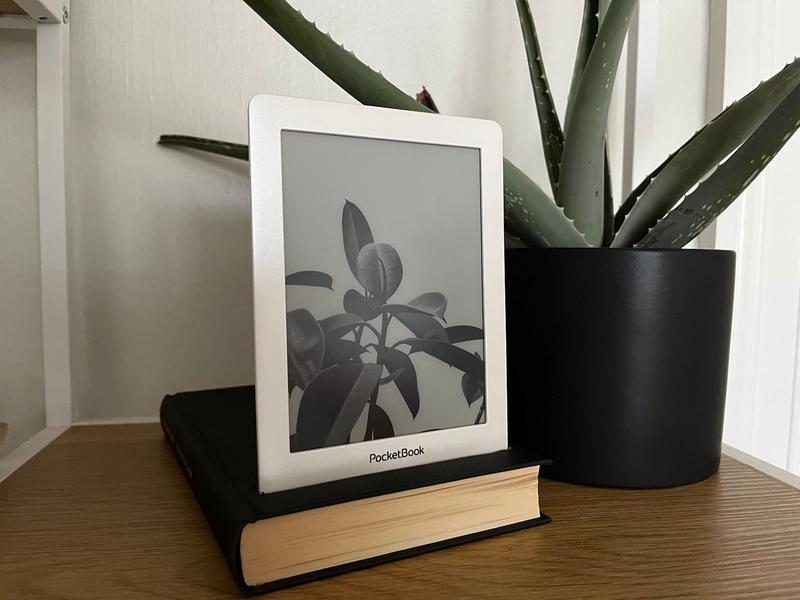

There is a special kind of sadness that comes from finding an old e-reader in a drawer. It is usually wedged between a mystery charging cable, a dead fitness tracker, and one lonely earbud that has not seen its partner since 2019. The screen still works. The buttons still click. The device still has that calm, paper-like glow that says, “Please, let us not open TikTok.” Yet the modern world has moved on. Stores stop supporting older models, batteries get sleepy, Wi-Fi standards change, and suddenly a perfectly readable gadget is treated like a fossil with a USB port.
But here is the good news: an obsolete e-reader does not have to become electronic clutter. In many cases, an old Kindle, NOOK, Kobo, or similar e-ink device can still enjoy a surprisingly useful second act. It may not be the slickest new gadget on the nightstand, but it can become a distraction-free reading machine, a public-domain book library, a recipe display, a travel document viewer, a kid-friendly reader, or even a DIY project for curious tinkerers. Think of it less as “obsolete” and more as “retired from corporate life and finally ready to wear linen.”
This guide explores practical ways to revive an outdated e-reader, why old e-ink devices are still worth saving, what to check before you revive one, and how to decide whether to repair, repurpose, donate, or recycle it responsibly.
Why Old E-Readers Still Matter
Unlike many aging gadgets, e-readers were built around one simple job: showing text comfortably. That narrow purpose is exactly why they age better than many phones and tablets. A 10-year-old tablet may feel painfully slow because modern apps demand more power, more memory, and more updates. A 10-year-old e-reader, however, can still display a novel beautifully if the battery and screen are healthy.
E-ink screens are also different from the bright, attention-hungry displays on phones. They use very little power when the page is not changing, remain readable in sunlight, and feel easier on the eyes for long reading sessions. That makes an old e-reader ideal for people who want fewer notifications, less glare, and more actual reading. Revolutionary concept, yes: a screen that does not scream at you.
The trouble is that “working” and “supported” are not always the same thing. Some older devices may lose access to official stores, security updates, or cloud syncing features. Barnes & Noble has retired several older NOOK models, and Amazon has announced support changes affecting Kindle devices released in 2012 or earlier. That does not always mean the device is useless. It means owners need to shift from store-dependent use to file-based, library-based, or repurposed use.
First, Check What Still Works
Before you start planning a heroic comeback, give the e-reader a basic health check. A few minutes of testing can reveal whether you have a weekend project or a future paperweight with excellent typography.
Charge It Fully
Plug the device into a reliable wall charger and leave it alone for several hours. Many old e-readers appear dead simply because the battery has deeply discharged. Use a known-good cable, preferably one that transfers data as well as power. If the charging light appears or the screen changes, congratulations: your tiny book slab has a pulse.
Inspect the Screen
Look for cracks, frozen ink patterns, ghosting that never clears, or large blank areas. E-ink screens can be fragile, and replacing a display may cost more than buying a used replacement device. A few cosmetic marks are fine. A screen that looks like a spider learned calligraphy is not.
Test the Buttons and Touchscreen
Older Kindles and NOOKs often have physical page-turn buttons, which are wonderful until one gets stuck. Tap through menus, turn pages, search for a book, and check whether the device responds consistently. Physical buttons may be cleaned carefully, but a failing touchscreen can be harder to fix.
Check Storage and USB Connection
Connect the e-reader to a computer. If it appears as a drive, you may be able to add compatible files manually. This matters because sideloading books, PDFs, manuals, and documents is one of the easiest ways to keep an unsupported e-reader useful.
Give the Battery a Second Chance
The most common problem with old e-readers is not software. It is the battery. Lithium-ion batteries degrade over time, especially if a device sits unused for years. Symptoms include quick draining, failure to power on, random shutdowns, or a battery indicator that behaves like it studied drama in college.
Some e-reader batteries can be replaced with patience, plastic opening tools, and the right guide. Repair communities and parts suppliers offer step-by-step instructions for certain Kindle models, including battery replacement guides. This is not a job for brute force. E-reader cases often use clips and adhesive, and lithium-ion batteries should never be bent, punctured, or tossed casually into the trash.
If you are comfortable with small electronics, a battery replacement can transform an “obsolete” e-reader into a dependable reading device again. If not, ask a local repair shop whether they work on e-readers. The repair may cost less than a new premium model, and it keeps a device out of the waste stream.
Update the Software Before It Is Too Late
If the manufacturer still offers software updates for your model, install the latest available version. Software updates may improve stability, file compatibility, Wi-Fi behavior, or store access. Some devices update automatically over Wi-Fi, while others require downloading an update file and transferring it by USB.
This step is especially important before factory resetting an older device. On some unsupported models, resetting can remove account registration or downloaded content that may be difficult or impossible to restore later. In plain English: do not press the big red reset button unless you know what happens next. Technology loves confidence, but it punishes impatience.
Turn It Into a Sideloaded Reading Machine
Sideloading means adding files directly to the device instead of relying on the official store. It is one of the best ways to keep an old e-reader useful. Depending on the model, compatible formats may include EPUB, PDF, MOBI, AZW3, TXT, or other ebook formats. Kobo and NOOK devices tend to be friendly toward EPUB. Older Kindles may work with MOBI, AZW, AZW3, PDF, and personal documents, depending on the device generation.
A free ebook manager such as Calibre can help organize, convert, and transfer books. Calibre runs on Windows, macOS, and Linux, and it can manage metadata, convert between major ebook formats, and communicate with many e-reader devices. For anyone reviving an old e-reader, Calibre is basically the Swiss Army knife, librarian, and mildly judgmental filing cabinet all in one.
Good Content Sources for Old E-Readers
Project Gutenberg is a treasure chest for public-domain classics, offering thousands of free ebooks in formats that work well on many devices. If you have ever wanted to carry Jane Austen, Mark Twain, Mary Shelley, and a mountain of old adventure novels in one faded gadget, this is your moment.
Internet Archive and Open Library also offer access to digital books, though availability and borrowing rules vary. Some titles can be read in a browser, while unrestricted files may be downloadable as PDF or EPUB. Public libraries remain another excellent route. In the United States, Libby can send many borrowed ebooks to Kindle devices, although support depends on the book, library, Amazon account, and device compatibility.
The key is to build a legal, organized library of books your device can actually open. That means checking formats, avoiding questionable downloads, and keeping backups on your computer. A revived e-reader is much happier when it is fed clean files instead of mystery ebooks from the digital equivalent of a parking-lot trench coat.
Repurpose It Beyond Books
An old e-reader does not have to be limited to novels. Its slow refresh rate may make it bad for video, but it is excellent for static information. That makes it surprisingly useful around the home, office, classroom, or workshop.
Use It as a Recipe Display
Load your favorite recipes as PDFs or text files and keep the e-reader in the kitchen. E-ink screens are readable under bright light, and the battery lasts much longer than a phone screen left on while you are elbow-deep in dough. Use a cheap stand, keep it away from splashes, and enjoy cooking without unlocking your phone 37 times.
Create a Travel Document Reader
Old e-readers are great for offline travel documents: hotel confirmations, maps, packing lists, visa notes, itineraries, translation cheat sheets, and emergency contacts. They are lightweight, readable outdoors, and less tempting to thieves than a new tablet. Nobody sees an ancient e-reader and thinks, “Ah yes, the crown jewel.”
Make a Kid-Friendly Reading Device
A revived e-reader can be perfect for children, especially if you load it with age-appropriate books and keep internet access limited. It gives kids a dedicated reading tool without games, videos, ads, and notification chaos. For families, an old e-reader can become a low-cost way to encourage independent reading.
Turn It Into a Manual Library
Keep PDFs of appliance manuals, camera guides, sewing machine instructions, car maintenance notes, or workshop references. A small e-reader in a garage or craft room can be more convenient than hunting through drawers for the one manual you definitely put somewhere “safe.”
Try Open-Source Reader Software Carefully
Some e-reader owners install alternative reading software such as KOReader on compatible devices. KOReader is popular among advanced users because it supports many formats and offers customization features for PDFs, EPUBs, and other documents. It is especially appreciated by people who read technical files, scanned books, manga, or documents that do not behave nicely in stock reading apps.
However, this path is not for everyone. Installing third-party tools may require model-specific steps, and a mistake can cause problems. Before attempting it, confirm your exact model, read current instructions from trusted communities, and understand how to recover if something goes wrong. If phrases like “jailbreak,” “firmware,” and “SSH” make your soul leave your body, stick with basic sideloading.
Use It as a Digital Minimalism Tool
One of the best things about an obsolete e-reader is what it cannot do. It cannot easily trap you in short videos. It cannot bury your brain under group chat pings. It does not demand that you update 14 apps before breakfast. In a world where every device wants to be a casino, an old e-reader remains stubbornly boring. That is its superpower.
Set it up as your dedicated bedtime reader. Load it with essays, classics, poetry, spiritual texts, language-learning material, or long-form articles saved as documents. Keep it beside your bed instead of your phone. The battery will last longer, the screen will be calmer, and your sleep routine may stop being sponsored by “just one more scroll.”
When an Old E-Reader Is Not Worth Saving
Not every device deserves resurrection. If the screen is broken, the battery is swollen, the charging port is damaged, and replacement parts cost more than a reliable used e-reader, recycling may be the better choice. The goal is not to hoard electronics under the noble banner of sustainability. The goal is to extend useful life where it makes sense.
Before recycling, remove personal information if possible. Deregister the device from your account, delete stored documents, and remove memory cards. If the battery is removable, follow local guidance because lithium-ion batteries often require separate recycling. The U.S. Environmental Protection Agency recommends donating or recycling electronics responsibly because devices contain valuable materials such as metals, plastics, and glass.
Look for certified electronics recyclers, manufacturer take-back programs, municipal e-waste events, or trusted retailers that accept old electronics. Please do not toss an e-reader into the household trash and hope the garbage truck also has a minor in environmental science.
Buying Used Can Be Part of the Solution
If your old device cannot be saved, consider buying a used or refurbished e-reader instead of immediately purchasing the newest model. Many mid-generation devices still work well, support modern ebook services, and cost far less than new premium models. A newer used Kindle, Kobo, or NOOK can offer better lighting, sharper text, waterproofing, faster page turns, and longer support without creating demand for another brand-new device.
When shopping used, check the model year, battery condition, storage size, account lock status, charging port, screen quality, and return policy. Avoid devices that are still registered to someone else or listed as “untested,” unless you enjoy paying money for suspense.
Specific Examples of New Life for Old E-Readers
Imagine an old Kindle Keyboard from 2010. It may no longer feel modern, but with a working battery and USB connection, it can still hold public-domain books, personal documents, and PDFs. Its physical keyboard is clunky by today’s standards, but its page buttons and readable screen make it a charming offline reader.
A retired NOOK Simple Touch can become a lightweight EPUB reader for public-domain books and personal documents. Some older NOOK models are officially retired and no longer receive updates, but the hardware may still be useful if you manage files manually. A Kobo Mini or older Kobo Touch can be repurposed as a pocketable library, especially for EPUB collections.
Even a sluggish early Kindle Fire or NOOK tablet can serve as a static reference screen, comic reader, PDF viewer, or family recipe station if the battery behaves. Just remember that old tablets are different from e-ink readers: they may have more security concerns, shorter battery life, and outdated apps. Use them offline when possible and avoid sensitive accounts.
My Experience: The Drawer Kindle That Refused to Retire
The first time I revived an old e-reader, I did not begin with optimism. I began with a drawer. Every home has one: the drawer where cables go to become spaghetti, warranty cards become confetti, and forgotten gadgets wait for either glory or recycling. At the back was an old e-reader with a faded case and a battery icon that looked less like a warning and more like a farewell note.
I plugged it in and expected nothing. For nearly an hour, nothing happened. Then the screen blinked. Not dramatically. No cinematic swell. Just one tiny refresh, as if the device had opened one eye and said, “Fine, but I am not making conversation.” After a full charge, it powered on and revealed a library of half-read books, sample chapters, and one travel guide from a trip that had clearly happened in another geological era.
The official store experience was not great. Menus were slow. Syncing was unreliable. A few features had moved on with their lives. But the screen still looked good, and page turns worked. So I stopped trying to make the old e-reader behave like a new one. That was the breakthrough. Instead of asking, “Can this still do everything?” I asked, “What can this still do well?”
The answer was simple: it could read. Beautifully. Quietly. Without notifications. I connected it to a laptop, organized a small library in Calibre, added public-domain classics from Project Gutenberg, and loaded a few personal PDFs. Suddenly the device felt useful again. Not fast. Not flashy. Useful.
It became my porch reader. That sounds overly romantic, but it is true. Phones are terrible porch readers because sunlight turns them into mirrors and notifications keep arriving like tiny emergencies. The old e-reader, on the other hand, did not care about group chats, weather alerts, or breaking news. It just sat there with a novel open, waiting politely. The battery lasted long enough that charging became an occasional event rather than a daily ritual.
Later, I turned another outdated e-reader into a kitchen helper. I loaded it with recipes, measurement conversions, and a few family notes. It was not perfect. The search function was slow, and touching the screen with floury fingers was not my finest technological moment. But it worked. More importantly, it kept my phone out of the kitchen, which reduced the number of times I accidentally checked email while making pancakes. That alone may have improved civilization.
The biggest lesson was that old tech becomes frustrating when we expect it to perform like new tech. An obsolete e-reader is not a tablet replacement. It is not a productivity hub. It is not a streaming device, gaming machine, social media portal, or AI-powered life coach. Thank goodness. Its limitations are what make it valuable. It gives you a narrow doorway back into focused reading.
There is also a quiet satisfaction in extending the life of something that already exists. Not every repair is worth it, and not every gadget can be saved. But when an old e-reader still has a working screen, a replaceable battery, and a path for loading books, bringing it back feels practical and oddly joyful. It is a small rebellion against the idea that every device must be replaced the moment a company stops cheering for it.
My favorite use remains the simplest: a dedicated “slow reading” device. I keep it loaded with books that require patience: essays, classics, history, poetry, and long novels that do not benefit from being interrupted by a notification about discounted socks. When I pick it up, my brain knows the assignment. We are reading now. Not browsing. Not comparing. Not tapping around. Reading.
That is the real new life of an obsolete e-reader. It is not only about saving money or reducing e-waste, though both matter. It is about recovering a calmer relationship with technology. The old device stops being a failed modern gadget and becomes something better: a humble tool with one job, and the good manners to do it quietly.
Conclusion: Do Not Bury the Book Brick Yet
An obsolete e-reader is not automatically useless. With a careful battery check, a software update, smart sideloading, legal ebook sources, and a little creativity, it can return as a focused reading device, a recipe station, a travel companion, a child’s book library, or a quiet tool for digital minimalism. Some devices truly are ready for responsible recycling, especially if the screen is damaged or the battery is unsafe. But many old e-readers still have plenty of pages left in them.
The best approach is practical: test the hardware, protect your accounts, avoid unnecessary factory resets, use trusted tools, and match the device to a simple purpose. A forgotten e-reader may not win a speed contest against a modern tablet, but it can still win where it counts: readable text, long battery life, sunlight-friendly screens, and freedom from the attention circus. In other words, it may be obsolete only if you ask it to be something it was never meant to be.


