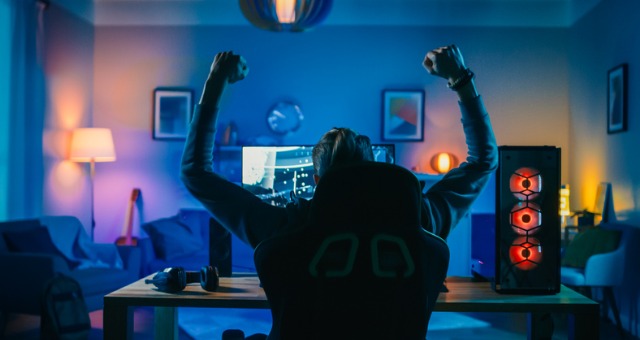
Managing the Chat in Online Teaching: What We Can Learn From Live Streamers

Note: This article is designed for web publication and synthesizes real online teaching, digital engagement, and live-stream moderation practices without adding source-link clutter inside the article body.
In every online class, there is a tiny second classroom hiding in plain sight: the chat box. It is where shy students become surprisingly witty, confused students ask the question everyone else was afraid to ask, and one brave soul inevitably types “Can you hear me?” three minutes after everyone else has moved on. Managing the chat in online teaching is not a side task anymore. It is part classroom management, part instructional design, part air-traffic control, and part stand-up comedy timing.
Teachers are not the only people who have had to master real-time digital conversation. Live streamers on Twitch, YouTube Live, and other platforms have spent years learning how to keep fast-moving chats useful, welcoming, energetic, and mostly free from chaos goblins. Their audiences may be watching gaming, music, tutorials, commentary, or creative work, but the core challenge is familiar to educators: how do you speak, watch the chat, answer questions, keep the group focused, and avoid letting one loud participant drive the whole session into a ditch?
The good news is that online instructors can borrow many smart practices from streamers without turning class into a neon-lit gaming channel. You do not need sound effects, a glowing microphone, or a catchphrase shouted at full volume. What you do need is a plan for attention, participation, moderation, pacing, and community. When the chat is managed well, it becomes a learning tool. When it is ignored, it becomes a junk drawer with emojis.
Why Chat Management Matters in Online Teaching
Online teaching works best when students are not only watching but also doing, responding, questioning, and reflecting. Chat can support active learning by giving students quick ways to participate, test ideas, ask for clarification, and respond to prompts. In a virtual classroom, the chat often becomes the equivalent of raised hands, hallway whispers, sticky notes, exit tickets, and group discussion all squeezed into one narrow panel.
That power comes with a problem: chat moves fast. A thoughtful question can vanish beneath five “same here” replies, two technical complaints, and one student typing “lol” because the instructor accidentally said “photosnack” instead of “photosynthesis.” Without structure, the chat becomes distracting for both students and teachers. The instructor’s attention splits between slides, voice, webcam, timing, student faces, breakout rooms, and a message stream that never blinks.
Live streamers understand this tension better than almost anyone. Their success depends on creating a sense of live presence while keeping the chat from overwhelming the content. Streamers learn quickly that chat is not just a comment box. It is a community space with norms, rituals, roles, and momentum. That is exactly how teachers should think about the online classroom chat.
Lesson 1: Set Chat Rules Before the First Message Appears
Successful streamers rarely wait for chaos before creating rules. They post chat guidelines, use blocked terms, assign moderators, and explain what kind of behavior belongs in the space. Teachers can do the same in a more academic tone. The goal is not to make chat feel like airport security. The goal is to make expectations clear enough that students know how to participate productively.
Create a Simple Chat Code of Conduct
Before a live online class begins, instructors should tell students exactly how the chat will be used. For example: “Use chat for questions, quick responses, resource sharing, and technical issues. Keep comments respectful, course-related, and concise. If your question is personal or grade-related, send it privately or email me after class.” That one paragraph prevents many problems before they hatch little problem eggs.
Good chat rules should be short, visible, and repeated. Place them in the syllabus, the learning management system, the first slide, or the opening message of each session. Streamers know that community norms must be repeated because new people arrive, regulars forget, and someone always believes “be respectful” has a secret footnote that excludes them. Online classes are no different.
Lesson 2: Do Not Try to Teach and Moderate Everything Alone
One of the biggest lessons from live streaming is that the person presenting should not always be the only person managing the chat. Streamers often rely on moderators to remove spam, answer repeated questions, welcome newcomers, and flag important messages. In online teaching, the equivalent might be a teaching assistant, co-instructor, rotating student helper, or designated “chat captain.”
Use a Chat Assistant When Possible
For large classes, a chat assistant can collect questions, organize themes, and interrupt the instructor at planned moments. This keeps the teacher from reading every message while trying to explain a difficult concept. It also helps students feel seen because their questions do not disappear into the digital swamp.
If no teaching assistant is available, assign rotating student roles. One student can summarize common questions. Another can paste key links. Another can note points of confusion. This turns chat management into a learning activity rather than unpaid digital janitorial work. It also teaches students to listen actively and identify patterns in discussion.
Lesson 3: Design Chat Prompts, Do Not Just “Open the Chat”
Streamers rarely ask, “Any thoughts?” and then stare silently into the void. They use specific prompts: “Type 1 if you agree,” “Drop your prediction,” “What should I try next?” or “Vote in chat.” Online instructors can use the same principle. The more specific the prompt, the better the chat response.
Use Focused Questions
Instead of saying, “What do you think about this theory?” try: “In one sentence, what is one strength of this theory?” or “Type one word that describes the author’s main concern.” Short prompts reduce cognitive load and make participation easier. They also prevent the chat from becoming a collection of tiny essays that nobody has time to read.
For deeper learning, ask students to respond in stages. First, have everyone type an answer but wait to press send. Then say, “Send now.” This creates a wave of responses and prevents early answers from shaping everyone else’s thinking. It is the online teaching version of hiding the answer key until everyone has at least tried the puzzle.
Lesson 4: Build Chat Into the Lesson Rhythm
Great live streamers do not check chat randomly every 23 minutes and then panic-read 74 messages. They build interaction into the rhythm of the stream. Teachers should do the same. A strong online class alternates between explanation, response, clarification, activity, and reflection.
For example, an instructor might teach for seven minutes, pause for a chat question, run a poll, invite students to post examples, then summarize what appeared in the chat. This rhythm keeps attention alive. It also signals that chat matters. If students post thoughtful comments and the instructor never responds, students learn that chat is decorative. Decorative chat is not engagement; it is wallpaper with timestamps.
Try the “Pause and Pull” Method
The “pause and pull” method is simple. Pause every few minutes and pull one useful item from the chat into the spoken lesson. You might say, “I see Maya asked whether this applies to asynchronous courses. Great question,” or “Several of you mentioned accessibility, so let’s connect that to the next point.” This validates participation and turns the chat into shared class material.
Lesson 5: Use Slow Mode Thinking, Even If Your Platform Does Not Have Slow Mode
Live-streaming platforms often include tools such as slow mode, chat delay, blocked words, AutoMod, and moderator controls. The teaching version does not always require the same technology. Sometimes “slow mode” is simply an instructional routine that keeps chat from moving too quickly.
For example, tell students: “For the next two minutes, only post questions about the assignment instructions.” Or: “Please wait until I say ‘go’ before submitting your answer.” Or: “Use one message only, no follow-ups yet.” These simple constraints make chat readable. They also help students practice concise communication, which is a life skill and, frankly, a mercy to everyone’s eyeballs.
Lesson 6: Separate Social Chat From Learning Chat
Streamers often create different channels or norms for different kinds of conversation. The same idea helps online courses. Not every message belongs in the main class chat. Technical issues, casual greetings, assignment questions, and conceptual discussions can quickly collide.
Teachers can create categories. Use the main chat for live lesson responses. Use a Q&A tool or discussion board for longer questions. Use private messages for sensitive concerns. Use breakout rooms for peer discussion. Use the learning management system for resources and deadlines. When every type of communication goes into one chat box, the result is like putting soup, pencils, socks, and car keys in the same drawer.
Lesson 7: Make Chat Inclusive, Not Just Busy
A fast chat can look engaging while quietly excluding students. Some learners type slowly. Some are using mobile devices. Some are English language learners. Some need more processing time. Some are anxious about posting publicly. A busy chat is not automatically an inclusive chat.
Offer Multiple Participation Paths
To make chat more inclusive, combine public chat with polls, anonymous forms, shared documents, reaction icons, verbal discussion, and post-class reflection. Let students know that they do not have to perform constantly to be considered present. Online engagement should not reward only the fastest typists with the strongest Wi-Fi.
Instructors can also invite low-risk participation. Ask for numbers, emojis, one-word answers, or “muddiest point” questions. Then move toward more complex responses as students become comfortable. Streamers often build community through small rituals; teachers can build learning confidence the same way.
Lesson 8: Moderate Tone Before It Becomes a Problem
Live streamers know that tone spreads. If chat becomes sarcastic, hostile, or dismissive, the mood of the whole session changes. In online teaching, instructors should address tone early and calmly. A simple reminder such as “Let’s keep comments focused on ideas, not people” can redirect the room without turning the moment into a courtroom drama.
When a student posts something inappropriate, the response should match the severity. Minor off-topic comments may need a gentle redirect. Repeated disruptions may require private follow-up. Harassment, discrimination, or threats require immediate action according to school policy. The key is consistency. Rules that are not enforced become classroom fan fiction.
Lesson 9: Use Automation Carefully
Streamers use automated moderation tools to filter spam, block harmful language, and reduce moderator workload. Teachers can use platform controls too: disabling private chat, limiting who can message whom, saving chat transcripts, restricting screen names, or removing disruptive participants when necessary.
However, automation is not judgment. Filters can miss context, block harmless words, or create confusion. In education, the stakes include student trust, accessibility, and academic freedom. Use platform settings as guardrails, not as a substitute for human teaching presence. The best system combines clear expectations, thoughtful design, and appropriate technical controls.
Lesson 10: Turn Chat Into After-Class Learning Data
One underrated teaching benefit of chat is that it creates a record of student thinking. After class, instructors can review the transcript to identify confusing topics, frequently asked questions, strong examples, and students who may need support. This does not mean grading every chat message. Please do not create a spreadsheet called “Participation Points of Doom.” Instead, use the chat as feedback.
If many students ask the same question, the lesson may need clearer instructions. If students offer excellent examples, those can become review materials. If chat goes silent during a key concept, students may be lost, tired, or secretly negotiating with their internet connection. Either way, the chat provides clues.
Practical Chat Strategies for Online Teachers
1. Open With a Low-Stakes Prompt
Begin class with a simple question: “What is one word that describes your energy today?” or “Type one thing you remember from last class.” This warms up the chat and lowers the barrier to participation.
2. Use Labels for Questions
Ask students to start messages with labels such as “Q:” for questions, “TECH:” for technical problems, or “EXAMPLE:” for examples. This makes scanning easier and helps a chat assistant sort messages quickly.
3. Schedule Chat Checkpoints
Tell students when you will pause for questions. For example: “I’ll explain this model first, then I’ll take chat questions in three minutes.” Students know they are not being ignored, and you protect your teaching flow.
4. Summarize the Chat Out Loud
After a burst of responses, summarize patterns: “Most of you chose option B, but several raised concerns about cost. Let’s unpack that.” This turns scattered comments into collective learning.
5. Close With an Exit Ticket
At the end of class, ask students to post one takeaway and one question. This gives you fast feedback and gives students a moment to reflect before they vanish into the mist of browser tabs.
Experience-Based Reflections: What Online Teachers Notice When Chat Finally Works
Anyone who has taught online for more than five minutes knows that chat can feel awkward at first. You ask a question, the screen stays still, and suddenly you understand why live performers fear silence. The first lesson from experience is patience. Students often need time to understand that the chat is not a trap. If the instructor only uses chat to catch attendance or demand instant answers, students become cautious. But if chat is used for curiosity, quick checks, humor, and real problem-solving, students begin to trust it.
One useful experience is to treat the chat like a second voice in the room. In a face-to-face classroom, teachers naturally read body language. Online, chat becomes part of that body language. When students type “wait,” “can you repeat that,” or “I’m confused about step three,” they are giving instructional signals. A smart teacher does not see those messages as interruptions. They are dashboard lights. Ignore them long enough and the engine starts making expensive noises.
Another common experience is that the best chat participation often comes from students who rarely speak on microphone. Some students are thoughtful but quiet. Some dislike being on camera. Some are in noisy homes, shared rooms, or public spaces. Chat gives them a way to join without turning participation into a personal broadcast. In this sense, managing chat well is not just a technology skill. It is an equity practice.
There is also a learning curve around humor. A little warmth in the chat can make online class feel human. A joke about everyone’s coffee level or a playful “the PDF has entered its villain era” can lighten the mood. But humor needs boundaries. Streamers learn that inside jokes can build community, but they can also exclude newcomers. Teachers should use humor to welcome students, not to create a private club where only three people understand the joke and everyone else smiles nervously like they missed a memo.
Experience also shows that chat works best when it has a job. If the chat is always open but never used intentionally, it becomes background noise. If it is used only for emergencies, students ignore it. But when the instructor says, “In the chat, post one claim from the reading and one piece of evidence,” the chat becomes a thinking space. When students compare answers, patterns appear. Misconceptions become visible. The instructor can respond in real time instead of discovering confusion later in a disappointing assignment pile.
Teachers also learn that multitasking has limits. Trying to lecture, advance slides, monitor time, troubleshoot audio, read facial expressions, and follow chat is not heroic. It is how mistakes happen. Borrowing the streamer practice of moderation support can change the whole atmosphere. Even in a small class, a rotating student chat lead can help by saying, “Three people are asking about the deadline” or “There’s a question about the example.” The instructor can then teach with fewer mental tabs open.
Finally, the most important experience is that chat culture develops over time. The first session may be quiet. The second may be messy. By the fourth, students begin to understand the rhythm. They know when to ask, when to respond, how to help one another, and how to keep the conversation useful. Good chat management is not about controlling every sentence. It is about designing a space where students know what participation looks like and why it matters.
Conclusion: The Chat Is Not a DistractionIt Is a Teaching Space
Managing the chat in online teaching is not about copying live streamers exactly. A college seminar does not need subscriber badges, animated alerts, or someone yelling “Let’s gooooo!” every time a student understands a thesis statement. But online teachers can learn a great deal from streamers’ ability to build community, guide attention, use moderators, set norms, pace interaction, and respond to live feedback.
The best online chat is structured but not stiff, lively but not chaotic, inclusive but not forced, and moderated without feeling like a digital detention hall. When teachers plan for chat instead of merely tolerating it, students gain another way to think, question, connect, and learn. In the modern online classroom, the chat box is not the side conversation. Used well, it is where learning becomes visible.