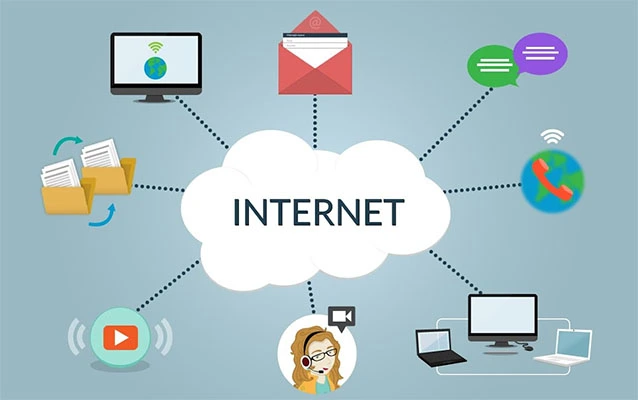

A VPN can make your internet connection appear to come from New York, London, Tokyo, Frankfurt, or another available server locationwithout requiring you to pack a suitcase or explain your suspiciously light luggage. However, changing your virtual location is not the same as changing every location signal generated by your device.
This guide explains how VPN location changing works, how to set it up on major devices, why websites may still identify your real region, and what to consider before selecting a VPN service. It also covers privacy, speed, streaming restrictions, troubleshooting, and realistic everyday experiences.
What Does “Standortänderung” Mean?
Standortänderung is the German term for “location change.” In the context of a VPN, it usually means replacing your visible internet protocol address with the IP address of a VPN server located somewhere else.
When you normally visit a website, the site sees the public IP address assigned by your internet service provider. That address can reveal an approximate location, such as your country, state, or city. It does not usually reveal your exact street address, despite what dramatic television hackers would like you to believe.
After you connect to a VPN, your traffic is routed through an encrypted tunnel to the selected VPN server. Websites then see the server’s IP address instead of your home or mobile IP address. As a result, your connection may appear to originate from the server’s country or city.
What a VPN Location Change Can Affect
A successfully changed IP location may influence search results, regional news, online advertising, website language, local pricing displays, sports pages, and the content catalogs shown by some media platforms.
It can also help travelers access familiar websites more safely on hotel, airport, café, or conference-center Wi-Fi. The encrypted connection makes it harder for someone on the same local network to inspect or modify the traffic traveling between your device and the VPN provider.
What a VPN Does Not Automatically Change
A VPN primarily changes your IP-based location. It does not necessarily change:
- Your phone’s GPS coordinates
- Your browser’s location permission
- Your Google Play or Apple Account country
- Your billing address or payment profile
- Your device’s time zone
- Your SIM card’s home country
- Location information stored in cookies or account history
Browsers and mobile apps can request device-level geolocation after receiving your permission. This information may come from GPS, Wi-Fi networks, nearby cellular towers, or operating-system location services rather than your public IP address. Consequently, a map app can know you are physically in Chicago even while your VPN server is enjoying a digital vacation in Paris.
How to Change Your Location With a VPN
The basic process is similar on Windows, macOS, Android, iPhone, tablets, and many smart televisions. The exact buttons vary, but the strategy remains pleasantly uncomplicated.
Step 1: Choose a Trustworthy VPN Provider
Selecting a VPN is more important than selecting a server. Your internet provider can no longer see the final destinations of traffic inside the VPN tunnel, but the VPN company becomes an important part of your connection. A provider with poor security or questionable data practices simply replaces one privacy concern with another wearing a shinier logo.
Review the provider’s privacy policy, ownership, logging practices, security history, independent audits, refund policy, and customer-support options. The Federal Trade Commission recommends checking what information a VPN app collects, why it needs permissions, whether it shares data, and whether it encrypts traffic effectively. The Electronic Frontier Foundation likewise emphasizes that users should choose according to their threat model instead of assuming every VPN provides complete anonymity.
Step 2: Install the Official Application
Download the VPN from its official website or a recognized app store. Avoid modified installers, “premium unlocked” versions, and mystery browser extensions distributed through forums. Saving a few dollars is less exciting when the bargain includes complimentary malware.
Step 3: Sign In and Review the Settings
Before connecting, examine the available security features. Useful options commonly include:
- A kill switch that blocks traffic if the VPN disconnects
- Automatic connection on unfamiliar Wi-Fi networks
- DNS leak protection
- Split tunneling for selected apps
- Protocol selection
- Malicious-site or tracker blocking
Step 4: Select the Desired Country or City
Open the server list and choose the location you want websites to see. For general privacy and speed, choose a nearby server. For regional testing or localized browsing, choose a server in the relevant country.
Many VPN apps also offer a “fastest server” or “quick connect” option. This normally prioritizes performance rather than a specific virtual location. It is ideal when your goal is secure browsing but less helpful when your heart is firmly set on appearing to be in Berlin.
Step 5: Connect and Verify the Result
After connecting, open an IP-checking website or search for “what is my IP address.” Confirm that the displayed country matches your selected VPN server. You should also test several websites because geolocation databases do not always agree.
An IP address may occasionally be listed in the wrong country because commercial geolocation databases can be outdated. This does not always mean the VPN has failed. Disconnecting, choosing another server, or clearing the affected site’s cookies may solve the problem.
Changing VPN Location on Popular Devices
Windows 11 and Windows 10
The easiest method is to install the provider’s Windows application, sign in, select a server, and click the connect button. This usually provides more features than a manually configured connection.
Windows also includes built-in VPN configuration. Users can open Settings > Network & Internet > VPN > Add VPN, then enter the server address, connection type, and sign-in information supplied by an employer or VPN service.
Android Phones and Tablets
Install the official Android app, allow it to create a VPN connection, and choose a server location. Android’s manual VPN controls can generally be found under Settings > Network & Internet > VPN, although manufacturers sometimes rearrange the menus. Android also supports always-on VPN settings for compatible connections.
Remember that Android Location Accuracy may still use GPS, Wi-Fi, cellular networks, and sensors. Changing the IP address does not automatically change the blue dot in a navigation app.
iPhone and iPad
Install the VPN app from the App Store, approve the request to add a VPN configuration, select a location, and connect. The VPN indicator should appear while the connection is active.
Review Settings > Privacy & Security > Location Services when an app continues to identify your physical location. You can adjust access for individual apps and disable precise location where appropriate.
Apple’s iCloud Private Relay should not be confused with a full location-selectable VPN. Private Relay protects eligible Safari browsing and offers limited IP-location preferences, but it is designed to preserve an approximate regional location rather than let users freely select any country.
macOS
Most people should use the VPN provider’s macOS application. After installation, open the server list, choose the desired location, and connect. Manual business or institutional VPN profiles can also be added through macOS network settings when configuration details are available.
Smart TVs, Streaming Devices, and Game Consoles
Some televisions and streaming boxes support native VPN apps, while others do not. When direct installation is unavailable, possible alternatives include setting up the VPN on a compatible router, sharing a protected connection from a computer, or using the provider’s smart DNS feature.
A router-level connection protects compatible devices on the network, but every device may appear to use the same VPN location. That is convenient until someone wants local news while another person wants a distant server. Domestic diplomacy may be required.
Choosing the Best VPN Server Location
For Maximum Speed
Choose a nearby server with a light load. Long-distance routing usually increases latency because data must travel farther before reaching its destination. A server in your own country or a neighboring region is generally the sensible starting point.
For Travel
Travelers may choose a server in their home country to access familiar search results, banking portals, news sites, and business tools. Financial institutions can still flag a login because of a new IP address, unusual device, or rapid change in region, so two-factor authentication should be enabled before leaving home.
For Localized Research
Marketers, journalists, developers, and SEO professionals can use servers in different regions to examine localized search results, advertisements, website languages, and landing pages. Results may still be personalized by cookies, search history, account settings, and browser language, so use a private browsing window and sign out of accounts when a cleaner comparison is needed.
For Privacy
The nearest reputable server often provides the best combination of privacy and speed. Selecting a location on the other side of the planet does not automatically produce “more encryption.” It generally produces more distance, more latency, and additional time to contemplate your choices.
Why Websites Still Show the Wrong Location
Changing your VPN server is only one part of location management. Websites use several signals, and they do not always politely agree with one another.
Browser Location Permission Is Enabled
A site may request precise device location through the browser. Review location permissions in Chrome, Firefox, Safari, or Edge. Firefox and Chrome both allow users to block or manage website location requests.
Old Cookies Remember Your Region
Websites can store language, country, postal code, or previous-session data in cookies. Clear the site’s cookies or open a private browsing window after changing VPN locations.
You Are Signed Into an Account
A search engine, shopping platform, or social network may prioritize the country saved in your profile. Signing out can help determine whether the service is using your IP address or your account information.
Your App Store Region Has Not Changed
A VPN does not automatically change Apple Account or Google Play country settings. Google Play may require a country-appropriate payment profile, and changes may take time to appear. Apple requires users to update their account country or region separately and may require a valid payment method for the new region.
The VPN Server’s IP Is Misclassified
IP geolocation databases are imperfect. One database may identify an address as Dallas while another confidently sends it to Denver. Select another server and report the error to the VPN provider when the mismatch continues.
The VPN Protects Only One Browser
A browser extension may protect traffic inside that browser while leaving other applications on the regular internet connection. Mozilla notes that a browser-only VPN does not necessarily protect traffic from the rest of the device. Use a full-device application when all app traffic needs to pass through the tunnel.
VPN Protocols Explained Without the Alphabet Soup
A VPN protocol defines how your device establishes and maintains the encrypted tunnel. The most common modern options include WireGuard, OpenVPN, and IKEv2/IPsec.
WireGuard
WireGuard was designed as a lean, modern VPN tunnel using contemporary cryptography. It is widely valued for fast connection times, strong performance, and a smaller codebase than many older technologies. VPN providers may use the standard protocol or a customized version.
OpenVPN
OpenVPN is mature, configurable, and broadly supported. It can operate over UDP for better speed or TCP for networks where reliability and compatibility are more important. It remains a useful option on restrictive networks, although it may be slower than modern alternatives.
IKEv2/IPsec
IKEv2/IPsec is often effective on mobile devices because it can quickly restore the VPN when the connection changes between Wi-Fi and cellular data.
Which Protocol Should You Choose?
Start with the provider’s automatic setting. Try WireGuard or the provider’s modern protocol for everyday speed. Switch to OpenVPN when a network blocks the default option or when compatibility matters. Use IKEv2 when reliable mobile reconnection is the priority.
Can a VPN Change Your Streaming Region?
A VPN can make a device appear to connect from another country at the IP level, but streaming access is not guaranteed. Media companies license content by territory and may identify or restrict VPN and proxy connections.
Netflix states that VPN users may see only titles available globally, and the company may ask users to disable a VPN when the detected country does not match their physical region. Hulu similarly explains that anonymous proxies and VPNs can prevent it from verifying geographic eligibility.
Availability can change without notice as platforms update detection systems and VPN providers replace server addresses. A server that works today may be blocked tomorrow and return next week wearing a fake mustache.
Always follow applicable laws, licensing restrictions, and the service’s terms of use. A VPN is a privacy and networking tool, not a magic permission slip.
Security and Privacy Features That Matter
Kill Switch
A kill switch prevents traffic from returning to the regular internet connection when the VPN unexpectedly disconnects. This is particularly useful on unstable Wi-Fi networks.
DNS Protection
Domain Name System requests translate website names into network addresses. A properly configured VPN should route these requests through protected resolvers rather than exposing them to the local network or internet provider.
Independent Audits
Independent security and privacy audits can provide evidence supporting a provider’s claims. An audit is not a lifetime guarantee, but it is more useful than a homepage filled with padlocks, capes, and words such as “military-grade” presented in heroic font.
Transparent Ownership
Look for clear information about the company, its leadership, its legal jurisdiction, and its affiliated brands. Hidden ownership makes it harder to assess who handles your data.
Minimal Data Collection
A VPN may need limited operational information to maintain accounts and prevent abuse. However, users should understand whether the provider records browsing activity, source IP addresses, connection timestamps, device identifiers, or bandwidth usage.
Modern Encryption
Use supported, up-to-date protocols. CISA guidance for organizations emphasizes strong cryptography, secure VPN configuration, removal of outdated algorithms, and timely software updates. Consumers should likewise keep VPN applications and operating systems current.
Free VPN vs. Paid VPN for Location Changing
A free VPN may be sufficient for occasional browsing, but free plans commonly impose limits on data, server locations, speed, device count, or streaming support. Some services fund operations through advertising or data collection, making careful policy review essential.
A reputable paid VPN generally provides more locations, faster servers, customer support, advanced security features, and fewer usage restrictions. Price alone does not prove quality, though. A costly service can still have weak practices, while a transparent lower-cost provider may perform well.
Questions to Ask Before Installing
- Who owns and operates the VPN?
- What activity and connection data does it collect?
- Has it completed recent independent audits?
- Does it support a kill switch and modern protocols?
- How many countries and cities are available?
- Are refunds clearly explained?
- Does it provide responsive customer support?
Common VPN Location Problems and Fixes
The IP Address Has Not Changed
Disconnect and reconnect, select another server, restart the VPN application, and check whether another VPN or proxy is already active. Antivirus suites sometimes include an automatic VPN feature that quietly joins the party without introducing itself.
The Internet Stops When the VPN Connects
Try another server or protocol. Restart the device and router, update the VPN app, and temporarily disable conflicting network-filtering software for testing. Do not permanently disable security tools unless the cause is understood.
Connection Speed Drops Sharply
Select a closer server, avoid overloaded locations, change protocols, and test a wired connection. Some slowdown is normal because encryption and additional routing require processing and travel time.
A Website Blocks the Connection
Switch servers, clear cookies, use a private browsing window, or disconnect the VPN for that site. Some banks, ticket sellers, email providers, streaming services, and fraud-prevention systems restrict known VPN addresses.
Apps Show Different Countries
One app may use the VPN’s IP location while another uses GPS or account information. Review app permissions, saved profile regions, browser settings, and payment-country configuration instead of repeatedly reconnecting until the phone becomes emotionally exhausted.
A Practical VPN Location Checklist
- Install a trustworthy full-device VPN application.
- Enable the kill switch and automatic protection on public Wi-Fi.
- Select the desired country or city.
- Verify the visible IP address.
- Review browser and app location permissions.
- Clear old cookies when a website remembers the previous region.
- Check account, store, language, and payment-region settings.
- Use a nearby server when speed matters more than country selection.
- Follow platform terms and local laws.
- Disconnect when a trusted service requires your real region.
Real-World Experience: What Location Changing Actually Feels Like
Imagine a traveler arriving at a hotel and connecting to the lobby Wi-Fi. The network works, but it has a name such as “HotelGuest_REAL_Final2,” which does not inspire tremendous confidence. After enabling the VPN and selecting a nearby server, ordinary browsing feels almost identical. Pages may take a fraction longer to open, but email, messaging, and news sites continue to work normally.
The first surprise often comes from search results. A server in another city may produce different shopping suggestions, local headlines, weather cards, advertisements, and restaurant recommendations. This can be useful for market research, but it may also create comedy. Ask for pizza near you while connected through another state and the search engine may enthusiastically recommend a restaurant 900 miles away.
Banking can be less amusing. A sudden login from a new country may trigger an identity check, one-time password, or fraud alert. This is a security feature rather than proof that the VPN is broken. Using a home-country server and maintaining access to two-factor authentication usually reduces friction while traveling.
Mobile devices create another learning moment. A browser may show the VPN country while a map application displays the user’s exact physical position. The difference occurs because the browser may rely on the visible IP address, while the map app uses GPS and operating-system location services. Users who expect a VPN to teleport the map pin will spend several confusing minutes staring at a stubborn blue dot.
Streaming produces the least predictable experience. One server may work normally, another may show a reduced catalog, and a third may trigger a proxy warning. Clearing cookies and changing servers sometimes helps, but success is never permanent because streaming platforms continually update regional controls. Anyone purchasing a long subscription solely for one entertainment service should use the refund period to test it first.
Speed also varies more than marketing pages suggest. A nearby server may retain most of the original connection speed, while a distant or crowded server can noticeably reduce performance. Video calls and competitive games are especially sensitive to latency. The best habit is simple: use a nearby server for daily privacy and choose a distant location only when that specific region is necessary.
After several days, the VPN usually fades into the background. Automatic connection protects public networks, the kill switch handles short interruptions, and favorite servers become easy to recognize. The occasional blocked page remains annoying, but split tunneling or temporary disconnection resolves most cases.
The most valuable experience is understanding what the VPN is actually doing. It encrypts traffic between the device and VPN provider and replaces the public-facing IP address. It does not erase accounts, browser history, GPS signals, payment records, or every other identifier. Once expectations become realistic, changing virtual location becomes a practical tool rather than a magical invisibility cloak with a monthly subscription fee.
Conclusion
A VPN offers one of the simplest ways to change your IP-based location in 2025. Select a trustworthy provider, connect to a server in the desired country, and verify the new IP address. For better results, also review browser permissions, GPS settings, cookies, account regions, and payment profiles.
The best VPN setup balances privacy, performance, transparency, and convenience. Nearby servers are usually faster, distant servers are useful for regional testing, and no server can make a user completely anonymous. Treat the VPN as one layer of digital protection alongside secure passwords, multifactor authentication, updated software, encrypted websites, and sensible online behavior.


